















Facebook Instagram Discord

Choose Your Adventure

Legend of Zelda News

Tears of the Kingdom Articles

Hyrule’s Skyfall Creatures, Ganondorf & More: In-Depth Exploit Breakdown

The Tears of the Kingdom Switch 2 Edition may appear to be a simple upgrade—higher resolution, smoother framerate—but revealed via the Zelda Notes Autobuild QR share feature is a world of creative chaos. Players are now summoning herds of Epona, swarms of dogs, and even Ganondorf himself.

1. Mod Save Files on a Switch 1

Fans using tools like those from the Hyrule Engineering community edit their Switch 1 save files to swap authorized Autobuild actors (e.g., hover platforms) with banned ones—Ganondorf, Epona, etc.

2. Transfer Saves to Switch 2 Edition

The modified save data travels through a standard process—modded Switch 1 → standard Switch → Switch 2—preserving these altered actors.

3. Upload, Generate & Scan QR

Once uploaded via Zelda Notes, the game generates a QR code. Scanning it on any Switch 2 brings the custom build into the player’s world.

Video Highlight

Summoning Highlights

  • Endless Epona herds – Horse stampedes across Hyrule, all from a single QR.
  • Dog armies – While players still cannot pet them, the code floods the world with un-pettable doggos. Redditor Mz3player said: “The dog one turns the Switch 2 version from trivial to essential.”
  • Ganondorf NPC spawns – Facing multiple copies of the Demon King stalking Link is now possible. One user shared screenshots of an army of Ganondorfs.

Community Reactions

Reddit’s r/tearsofthekingdom thread titled “Totk autobuild sharing is so broken” is buzzing:

“Yes and yes.”
Formal-Code2341, confirming both Epona and Ganon codes are real

Another user, lgxmo, summarized community sentiment:

“Nice, this is the good kind of ‘broken’. Unfortunately, Nintendo will probably patch it.

Media Insight

  • Nintendo Life explains how no validity checks are performed on shared actors—meaning anything can be included.
  • VICE reports that even though Switch 2 is not compromised, using modded Switch 1 data is enough to bypass built-in restrictions.

The Road Ahead: Is a Patch Coming?

The community expects Nintendo to intervene:

“Odd that they don’t have autobuild legitimacy verification… Nintendo could patch it.” (As described by Aster on Reddit.)

  • Some fear consequences: modded setups carry risks like save corruption or online bans.
  • Others embrace the fun—experimenting while the exploit lasts.

Advice for Zelda Central Readers

  • Interested modders: Visit the Hyrule Engineering Discord or relevant Reddit communities for QR codes.
  • Backup before you hack: Modding carries risks—saving before trying anything is essential.
  • Act fast: These exploits won’t remain valid indefinitely; enjoy them while they last.
  • Non-modders: You can still scan QR codes on Switch 2—but note that someone had to mod to create them in the first place.

What started as a sophisticated performance update in Tears of the Kingdom has become a canvas for community ingenuity. Using Zelda Notes and QR codes, Switch 2 players can summon horses, dogs, and Ganondorf through a clever save-file hack—but Nintendo will likely plug this loophole soon. Enjoy the spectacle while it’s available.
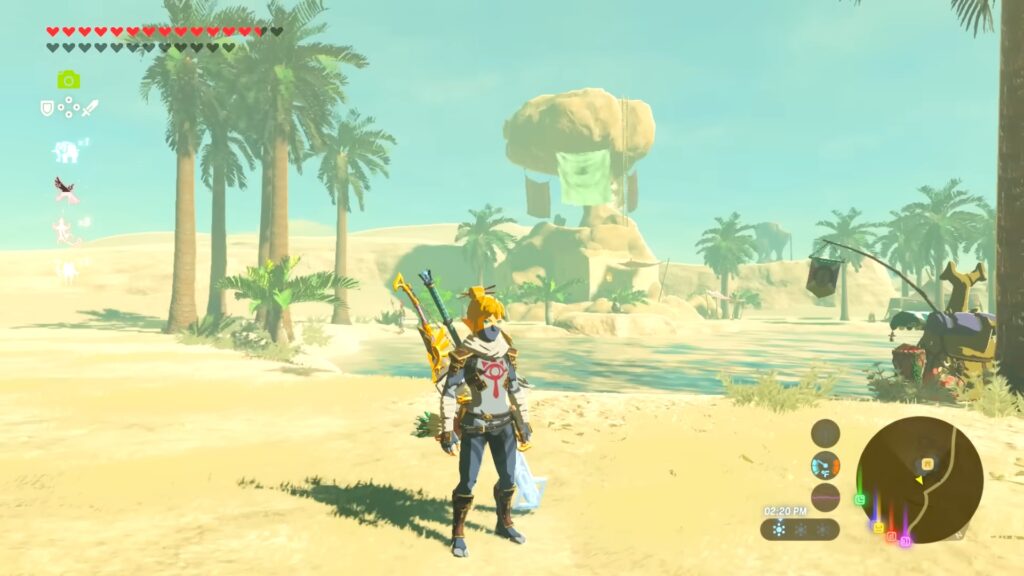
Zelda Reclaims the Throne: Switch 2 Upgrades Push BOTW and TOTK to the Top of Metacritic in 2025

It’s official—The Legend of Zelda is once again dominating the conversation, and this time it’s thanks to the new Nintendo Switch 2 upgrades for Breath of the Wild and Tears of the Kingdom. Both titles have surged to the top of Metacritic’s best-rated games of 2025, dethroning indie darling Clair Obscur: Expedition 33, which had been holding the top spot for much of the year.

As of now, Tears of the Kingdom leads the pack with an impressive Metacritic score of 95, while Breath of the Wild isn’t far behind at 93—matching Expedition 33‘s score but edging it out due to recent attention and fewer review discrepancies. The kicker? These are re-releases enhanced by Switch 2’s performance boost.

The upgrade packs for both Zelda titles offer a premium experience: sharper visuals with higher resolution, a stable frame rate, HDR support, and new quality-of-life additions. One of the biggest enhancements comes via the Nintendo Switch App, which now includes a “Zelda Notes” feature—letting players track Shrine and Korok Seed locations, and even share item data between games.

While Clair Obscur: Expedition 33 has been a critical hit—garnering over 80 reviews and significant praise for its unique narrative and stylish combat—it’s hard to compete with the legacy and polish of Zelda. That said, it’s worth noting that BOTW and TOTK’s Switch 2 releases have each pulled in fewer than 15 reviews so far, meaning the rankings could shift again as the year progresses.

Still, from a fan’s perspective, this feels like a well-deserved return to form. It’s a reminder of just how timeless The Legend of Zelda really is—and how much more room these beloved titles still have to evolve with upgraded hardware. Whether you’re revisiting Hyrule or discovering it for the first time on Switch 2, there’s never been a better time to dive in.

And who knows what else 2025 has in store? But for now, Zelda reigns supreme once again.

The Legend of Zelda: Tears of the Kingdom Update 1.4.1 Now Live

Nintendo has quietly pushed out Version 1.4.1 for The Legend of Zelda: Tears of the Kingdom on Nintendo Switch, with the update rolling out globally on June 12, 2025.


What’s Fixed in Update 1.4.1?

  • Portuguese (Brazil) text has been revised.
    The localization introduced in the earlier 1.4.0 patch has received further polish to improve accuracy and readability.
  • “Several other issues” have been addressed to enhance overall gameplay stability and performance.

Nintendo’s official support page confirms that downloading this update is recommended to maintain a smooth gaming experience.


Timeline Recap

  • 1.4.0 (June 3, 2025):
    Introduced Switch 2 Edition enhancements, Brazilian Portuguese support, new amiibo compatibility, and fixed numerous gameplay-blocking bugs.
  • 1.4.1 (June 12, 2025):
    A more modest release focused on localization tweaks and minor bug fixes.

Why It Matters

Localization matters just as much to non-English speakers—small fixes can make the world of Hyrule feel clearer and more immersive. While this isn’t a content update, official patches like 1.4.1 reflect Nintendo’s ongoing dedication to polish and quality.


What You Should Do

  • Plug in and connect to the internet, then launch the game—your system should prompt for the update.
  • Finish any current sessions before updating to avoid save-file conflicts.
  • Hit “Software Update → Via the Internet” from the game’s options if it doesn’t auto-prompt .

Community Buzz

As of now, the patch hasn’t sparked big discussion—most fans are treating it as a standard maintenance update. That said, performance improvements from the earlier 1.4.0 patch still generate chatter in places like Reddit, where users noted smoother loading times and reduced lag in tech-heavy areas (e.g., Lookout Landing).


Bottom Line

Tears of the Kingdom 1.4.1 is a small but welcome update—especially for Brazilian Portuguese players—offering refined localization and ongoing stability improvements. If you’re playing on Switch (or the new Switch 2), make sure you’re up to date for the smoothest Hyrule adventure possible.

Stay tuned to Zelda Central for the latest on future patches, feature drops, and hidden improvements across the Zelda universe.

Zelda Switch 2 Upgrade Process Confuses NSO+ Expansion Pack Members

If you’re a Nintendo Switch Online member with the Expansion Pack, you get free Switch 2 upgrade packs for The Legend of Zelda: Breath of the Wild and Tears of the Kingdom. But accessing them isn’t as intuitive as you might expect.

1. Transferring Data ≠ Upgrading Automatically

When you transfer save data from a Switch to the new Switch 2, your games—including Zelda—download to the new console. But don’t expect the Switch 2 upgrade to install automatically. Instead, when you boot Tears of the Kingdom, it loads the old version with a “Upgrade to Switch 2” option nestled in the menu. That selection takes you to the eShop.

2. The eShop Interface Is Tricky

On the game’s Switch 2 store page, two prominent buttons appear:

  • Download (left): the correct free option for Expansion Pack subscribers.
  • Continue (right): a larger, brighter button that buys the $9.99 upgrade.

It’s highly misleading—you’ll likely hit Continue thinking it’s the way to get the upgrade. But as Polygon clarifies, downloading via the subtle left-side button is the proper method to claim it for free.

3. To Buy or Not to Buy?

Hitting Continue purchases the upgrade—so if you plan to pause or let your subscription lapse, that’s one way to keep it permanently. But if you’re planning to stay subscribed, there’s no need to pay extra. Let your subscription lapse later? You can always re-subscribe or buy the upgrade directly for $9.99.

Why Nintendo Made Updates This Way

Nintendo groups upgrades into two tiers:

  1. Two Zelda titles: Enhanced resolution, smoother frame rates, and access to the Zelda’s Notes second-screen app—free within Expansion Pack.
  2. Other games (e.g., Kirby, Mario Party): Typically paid upgrades—$19.99 in regions like the U.S. for Kirby & the Forgotten Land and Super Mario Party—since they include extra modes and content.

TL;DR for Hyrulians

  • Transfer saves to Switch 2 → start the game → choose the “Upgrade” menu → redirect to eShop.
  • On the store page, tap the small Download button for the free subscriber upgrade—not the big, flashy Purchase button.
  • Want permanent access? You can still buy for $9.99—even with an active subscription—but it’s not necessary unless you plan to drop Expansion Pack.

Want to catch every detail about the Zelda upgrades or have any screenshots of how your eShop looks? Let me know—I can help with visual walkthroughs or guide pages!

How to Transfer Your Zelda Save Data to Nintendo Switch 2

Nintendo Switch 2

With the release of the Nintendo Switch 2, many players are eager to continue their The Legend of Zelda:Tears of the Kingdom, Breath of the Wild, Link’s Awakening, or Echoes of Wisdom adventures on the new console. Transferring your save data ensures a seamless transition. Here’s how to do it:


Option 1: Direct Save Data Transfer Between Consoles

Direct Save Data Transfer

This method allows you to move your Tears of the Kingdom, Breath of the Wild, Link’s Awakening, or Echoes of Wisdom save data directly from your original Switch to the Switch 2.

Requirements:

  • Both consoles must be nearby and connected to the internet.
  • The same Nintendo Account must be linked to a user on both systems.
  • Both systems should have the latest system update installed.

Steps:

  1. On the Source Console (Original Switch):
    • Go to System Settings > Data Management > Transfer Your Save Data.
    • Select Send Save Data to Another Console.
    • Choose the user profile associated with your Tears of the Kingdom, Breath of the Wild, Link’s Awakening, or Echoes of Wisdom save.
    • Select the specific save data to transfer and confirm.
  2. On the Target Console (Switch 2):
    • Go to System Settings > Data Management > Transfer Your Save Data.
    • Select Receive Save Data.
    • Once the transfer is complete, you’ll be ready to continue your journey.

Important: This process moves the save data; it does not copy it. The original console will no longer have the save file after the transfer.


Option 2: Full System Transfer

If you’re planning to move all your data, including user profiles, settings, and save data, consider performing a full system transfer.

Requirements:

  • Both consoles must be nearby and connected to the internet.
  • The same Nintendo Account must be linked to a user on both systems.
  • Both systems should have the latest system update installed.

Steps:

  1. On Both Consoles:
    • Go to System Settings > Users > Transfer Your User Data.
    • Follow the on-screen instructions to designate the source and target consoles.
    • Proceed with the transfer process.

Note: This method transfers all user data and associated save files.


Option 3: Cloud Save Backup (Nintendo Switch Online)

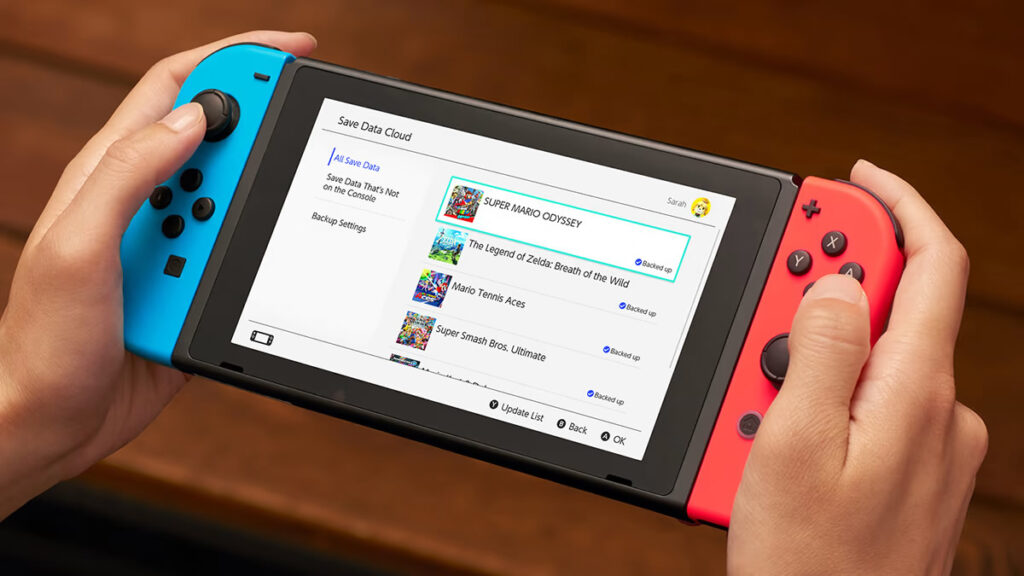
Nintendo Switch Cloud Save Screen

If you’re a Nintendo Switch Online member, you can use cloud saves to transfer your Tears of the Kingdom, Breath of the Wild, Link’s Awakening, or Echoes of Wisdom data.

Steps:

  1. On the Original Console:
    • Ensure that cloud backups are enabled for your user profile.
    • Go to System Settings > Data Management > Save Data Cloud Backup.
    • Select Tears of the Kingdom, Breath of the Wild, Link’s Awakening, or Echoes of Wisdom and choose Back Up Save Data.
  2. On the New Console:
    • Link your Nintendo Account.
    • Navigate to System Settings > Data Management > Save Data Cloud.
    • Select Tears of the Kingdom, Breath of the Wild, Link’s Awakening, or Echoes of Wisdom and choose Download Save Data.

Caution: As of now, the Switch 2 editions of Tears of the Kingdom do not support cloud saves. Ensure compatibility before proceeding.


Additional Tips

  • Pre-Transfer Preparation: Before initiating any transfer, ensure both consoles are updated to the latest system software.
  • Data Retention: If you’re not immediately transferring to the Switch 2, consider uploading your data to Nintendo’s dedicated server. This feature allows you to store your data for up to a year, ensuring it’s ready when you are.

By following these steps, you can seamlessly transition your Tears of the Kingdom, Breath of the Wild, Link’s Awakening, or Echoes of Wisdom adventure to the Nintendo Switch 2, ensuring your progress and achievements continue uninterrupted.

Hyrule’s Harley: A Player’s Ingenious Motorcycle in Tears of the Kingdom

Even two years after launch, The Legend of Zelda: Tears of the Kingdom still sparks jaw-dropping creativity—and one player just revved it up to eleven. On Reddit, user ryt1314059 unveiled a fully functional, Harley‑Davidson–style motorcycle built entirely in-game using Ultrahand and Zonai gadgets.

Building a Legend

Nintendo challenged itself to outdo Breath of the Wild with fresh terrain—Sky Islands, the Depths—and by empowering players with Ultrahand, the tool that lets Link pick up, fuse, and animate almost anything. As the community experimented, they mastered these physics, crafting everything from flying ships to submarines.

Ride of Your Life

In a short clip, ryt1314059 rolls out a gleaming bike, complete with twin wagon‑wheel front tires, sculpted handlebars, tailpipes, even a headlight. Link hops on and cruises across an open field, steering smoothly as if it were a true Harley. And there’s more: they promise to share the exact build via the upcoming QR‑code feature on Switch 2—so any fan can park their own legendary motorcycle in Hyrule.

Harley-Davidson
byu/ryt1314059 inHyruleEngineering

Community Cheers

The post exploded on r/HyruleEngineering, racking up hundreds of upvotes. Commenters lauded the “incredible attention to detail” and inventive use of parts. One fan pointed out how cleverly the creator used two wagon wheels for stability at the front. Even a real Harley‑Davidson engineer stopped by to admire the authenticity.

More Mechanical Marvels

This isn’t a one‑off stunt for ryt1314059. Their gallery brims with mechanical masterpieces: a whirring helicopter, various bespoke planes, and a buoyancy‑controlled submarine that actually dives. Each design demonstrates the limitless potential Ultrahand and Zonai devices unlock.

With Tears of the Kingdom confirmed for Nintendo Switch 2, expect a fresh wave of builders to return—and to see your own creations shared via QR codes. Who knows what Hyrule‑powered contraption will appear next?

Hyrule Crossing? Fan Brilliantly Recreates Tears of the Kingdom Scenes in Animal Crossing!

The Legend of Zelda Tears of the Kingdom logo next to Animal Crossing New Horizons logo with an autumn-themed background and the text PART 1 below.

Hey Zelda Central readers! Get ready for a crossover you might not have expected, but will definitely appreciate. The epic scope and emotional story of The Legend of Zelda: Tears of the Kingdom have captured the hearts of millions, and the creativity of the Zelda fandom continues to astound us. In a truly dedicated display of fandom, one talented player has brought some of TotK’s key opening moments to life… within the charming world of Animal Crossing: New Horizons!

That’s right, using the tools available in Animal Crossing, this fan meticulously recreated scenes that are etched into our memories. Shared via a new YouTube channel aptly named ACV-TotK, a video spanning over seven minutes showcases this incredible feat.

Reliving the Adventure, Island Style!

The video primarily focuses on the dramatic opening hours of Tears of the Kingdom. You’ll see adorable Animal Crossing-style interpretations of:

  1. Link and Zelda’s exploration of the mysterious ruins deep beneath Hyrule Castle.
  2. The chilling discovery and awakening of the mummified Ganondorf (handled with impressive creativity, given Animal Crossing‘s usually cheerful aesthetic!).
  3. Link’s awakening on the Great Sky Island and his first steps in the transformed Hyrule.

The creator didn’t just rebuild locations; they captured the feel of the moments. By cleverly combining footage from both games at times and incorporating Tears of the Kingdom’s iconic musical motifs and sound effects, the video is an unmistakable and loving tribute to the newest mainline Zelda adventure.

A Labour of Love

The creator behind this project, known as “PumpkIntestines11111” on Reddit, described the video as involving “so much hard work,” and watching it, you can absolutely see why. The attention to detail in translating Hyrule’s ancient Zonai structures and characters into Animal Crossing‘s distinct style is remarkable.

While Animal Crossing is known for its customization, seeing it used to recreate the specific narrative beats and atmosphere of Tears of the Kingdom is a fantastic example of fan passion. The creator even hinted they might be interested in recreating more of the game in this style!

This project is a wonderful testament to how deeply Tears of the Kingdom has resonated with players and the incredible ways fans express their love for the world of Hyrule. It’s always amazing to see the creativity within the Zelda community branch out in such unique ways.

Be sure to check out the ACV-TotK channel on YouTube to see this delightful recreation for yourself! It’s a must-watch for fans of Zelda and creativity.

Nintendo Confirms Cloud Save Support for Tears of the Kingdom – Switch 2 Edition

Players Can Safely Transition Their Save Data to the New Console

Nintendo has clarified that The Legend of Zelda: Tears of the Kingdom – Switch 2 Edition will support cloud save backups via Nintendo Switch Online. This update addresses earlier concerns about save data compatibility when transitioning to the upcoming console.

Previously, the eShop listings for the Switch 2 Editions of Tears of the Kingdom and Breath of the Wild indicated that cloud saves were not supported, raising concerns among players about preserving their progress. Nintendo has since updated these listings to provide clearer information.

The revised message specifies that save data created in the second save slot of the Switch 2 Edition cannot be transferred back to the original Switch version. This means that while cloud backups are supported, certain save data may not be compatible across different console versions.

This clarification is also present on the eShop page for Donkey Kong Bananza – Switch 2 Edition. However, other titles like Breath of the Wild – Switch 2 Edition still display the older warning, suggesting that further updates may be forthcoming.

The Switch 2 Editions of Breath of the Wild and Tears of the Kingdom are set to launch alongside the new console on June 5. Players who already own the original Switch versions can upgrade for $10, while standalone digital copies will be available for $70.

It’s important to note that the Breath of the Wild – Switch 2 Edition does not include content from the original expansion pass. New players will need to purchase the expansion pass separately to access the additional content.

Other titles receiving Switch 2 Edition upgrades include Super Mario Party Jamboree with the Jamboree TV expansion, Kirby and the Forgotten Land with the Star Crossed World expansion, as well as upcoming releases like Metroid Prime 4 and Pokémon Legends: Z-A. These upgraded versions promise enhanced visuals, improved performance, faster load times, and new features accessible through the official Nintendo smartphone app.

For Zelda fans, the confirmation of cloud save support in Tears of the Kingdom – Switch 2 Edition offers reassurance that their in-game progress will be preserved when transitioning to the new console.

Tears of the Kingdom Soundtrack Restocked: Secure Your Collector’s Edition Now!

Great news for Zelda enthusiasts! The Legend of Zelda: Tears of the Kingdom Collector’s Edition Soundtrack is back in stock at Amazon, offering fans a chance to own a piece of Hyrule’s rich musical tapestry.

Dive into the Music of Hyrule

This comprehensive soundtrack spans 344 tracks across nine beautifully designed CDs, capturing the essence of Tears of the Kingdom. Each disc is adorned with iconic Zelda artwork and housed in a deluxe black box featuring the Ultrahand symbol. Additionally, the set includes a Master Sword-shaped USB containing 15 high-resolution tracks, providing an immersive audio experience.


Standard Edition – $94 (Previously $136)

The Standard Edition encompasses the complete Tears of the Kingdom soundtrack, featuring 344 meticulously crafted tracks spread across nine CDs. Composed by Manaka Kataoka, Maasa Miyoshi, Masato Ohashi, and Tsukasa Usui, this collection captures the game’s rich tapestry of themes, from serene explorations to intense battles. Each disc is adorned with iconic Zelda artwork and housed in a decorative storage case, making it a cherished item for fans.


Collector’s Edition – $125 (Previously $194)

For those seeking a more exclusive experience, the Collector’s Edition offers everything in the Standard Edition, plus additional treasures. This set includes a Master Sword-shaped USB containing 15 high-resolution and 5.1-channel sound tracks, providing an enhanced auditory experience. The USB serves both as a functional device and a display-worthy collectible. Additionally, the Collector’s Edition comes in a special three-sided luxury box with a tall-size digipak, adding a touch of elegance to your collection.


A Must-Have for Collectors

Beyond the music, the Collector’s Edition offers a tangible connection to the game’s world. The Master Sword USB serves as both a functional item and a display piece, making it a standout addition to any Zelda collection. The accompanying booklet provides additional artwork, enriching the overall experience.

Where to Purchase

Both editions are currently available on Amazon, but stock is limited. Given the popularity of Zelda merchandise, it’s advisable to act swiftly to secure your copy.​

For more updates on Zelda merchandise and news, stay tuned to Zelda Central. Whether you’re a longtime fan or new to the series, this soundtrack is a treasure trove of melodies that bring the world of Hyrule to life.

Zelda Switch 2 Editions Missing Cloud Save Support—Error or Intentional Omission?

Nintendo has confirmed that the Nintendo Switch 2 Editions of The Legend of Zelda: Breath of the Wild and Tears of the Kingdom will not support cloud save backups via Nintendo Switch Online. This decision has raised concerns among fans, as it means that save data for these titles cannot be backed up to the cloud, posing a risk of data loss if the console is damaged or lost.

The official store pages for both Zelda: Breath of the Wild & Zelda: Tears of the Kingdom in the US and EU include a disclaimer stating: “Please note: this software does not support the Nintendo Switch Online paid membership’s Save Data Cloud backup feature.” Interestingly, this disclaimer is absent from other Switch 2 Edition titles like Metroid Prime 4 and Kirby and the Forgotten Land, suggesting that the restriction is specific to the Zelda titles .

Notably, the Japanese store pages for these games do not mention any cloud save restrictions, leading to speculation that the limitation may be regional or possibly a temporary oversight .

Players can transfer their save data from the original Switch versions to the Switch 2 Editions. However, once transferred, the new save data cannot be backed up to the cloud. Additionally, starting a new game on the Switch 2 Edition will result in save data that is stored only locally, without cloud backup support .

The Switch 2 Editions offer enhancements such as improved visuals, faster load times, and an additional save slot. Despite these upgrades, the lack of cloud save support is a significant drawback for players concerned about data security.

Nintendo has yet to provide an official explanation for this limitation. Fans are hopeful that the company will address this issue in future updates.

For more information and ongoing updates, stay tuned to Zelda Central.

Google is changing how it surfaces content. Prioritize our high-quality Zelda guides and expert coverage in search results by setting ZeldaCentral.com as a preferred source.